Get in touch
Splunk is a machine data analytics platform used to collect, index, search, and visualize large volumes of log data.
Organizations use Splunk to monitor:

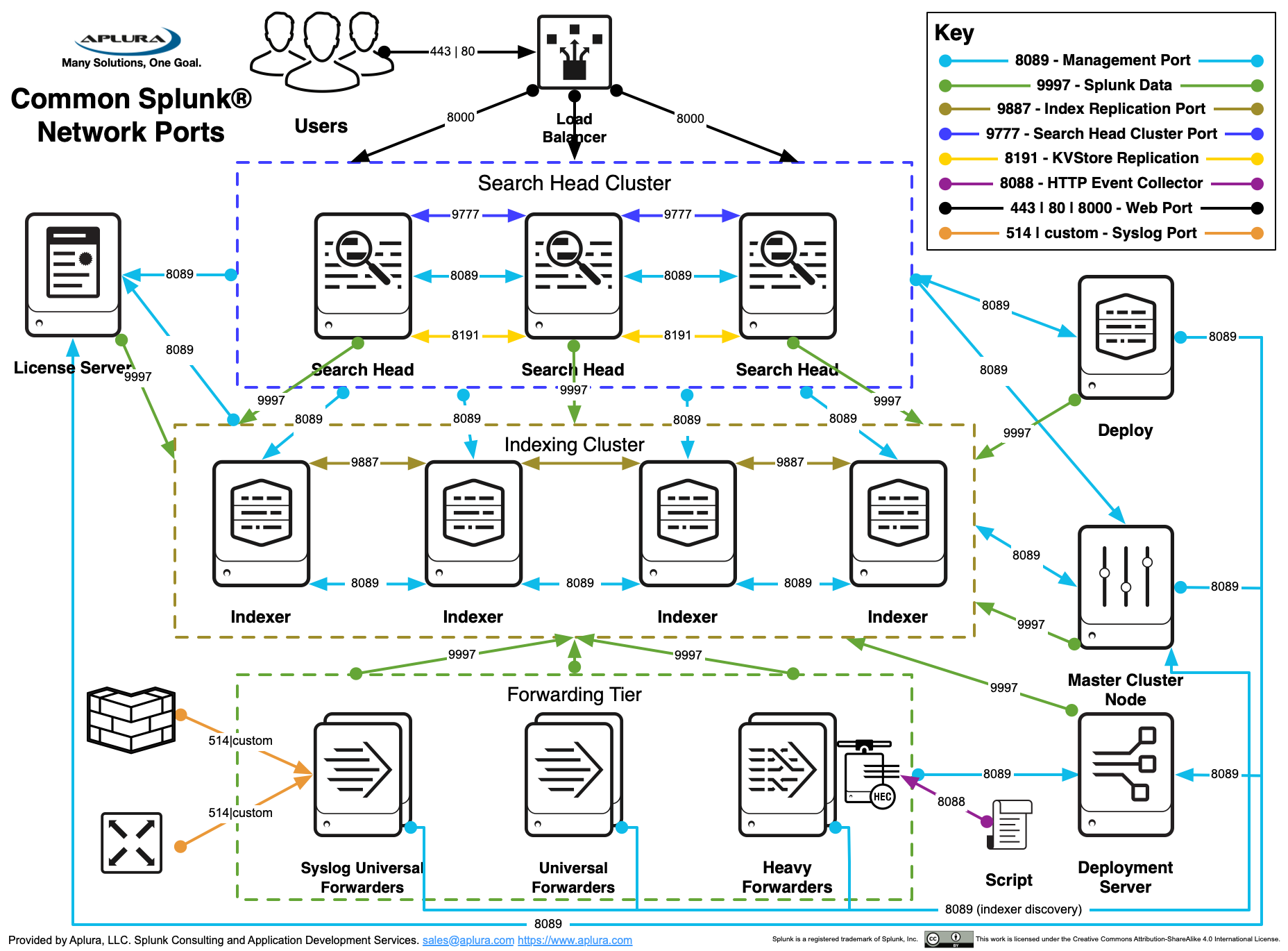

Collects logs and sends them to Splunk.
Types:
Stores indexed data and processes searches.
Runs search queries and generates dashboards.
Manages forwarders.
Controls license usage.
Command:
Splunk collects data from multiple sources.
| Input Type | Example |
|---|---|
| File monitoring | /var/log/syslog |
| Network data | TCP / UDP |
| Scripted inputs | Python scripts |
| APIs | REST APIs |
| HTTP Event Collector | HEC |
Example:
Source types define format of data.
Examples:
Purpose:
Index is where Splunk stores data.
Default indexes:
| Index | Purpose |
|---|---|
| main | default logs |
| _internal | Splunk internal logs |
| _audit | audit logs |
Example index creation:
SPL is used to search data.
Basic syntax:
Example:
Fields are extracted from events.
Examples:
Example:
Knowledge objects enrich data.
Types:
Lookups add extra data.
Example:
| IP | Country |
|---|---|
| 1.1.1.1 | USA |
| 2.2.2.2 | India |
Example SPL:
Reports are saved searches.
Example:
Daily error report.
Features:
Dashboards display visual data.
Elements:
Example panel query:
Alerts trigger actions based on conditions.
Example:
Alert actions:
Data models organize data for analysis.
Used mainly for:
Components:
Pivot allows drag-and-drop analysis.
Benefits:
Apps extend Splunk functionality.
Examples:
Splunk uses configuration files.
Key files:
Example:
Data processing stages:
Parsing steps:


Purpose:
Components:
Key parameters:
Example:
Multiple search heads working together.
Components:
Benefits:
Manages configuration of forwarders.
Example tasks:
Security features:
Roles example:
Important for large environments.
Techniques:
Monitoring tools:
Example query:
Used for:
Common issues:
Check:
Check:
Check:
Stores summarized data for faster searches.
Example:
Daily traffic summary.
Benefits:
Allows sending logs via HTTP.
Example:
Used for:
Splunk is used for:
Detect cyber attacks.
Monitor servers and apps.
Customer behavior analysis.
Application monitoring.